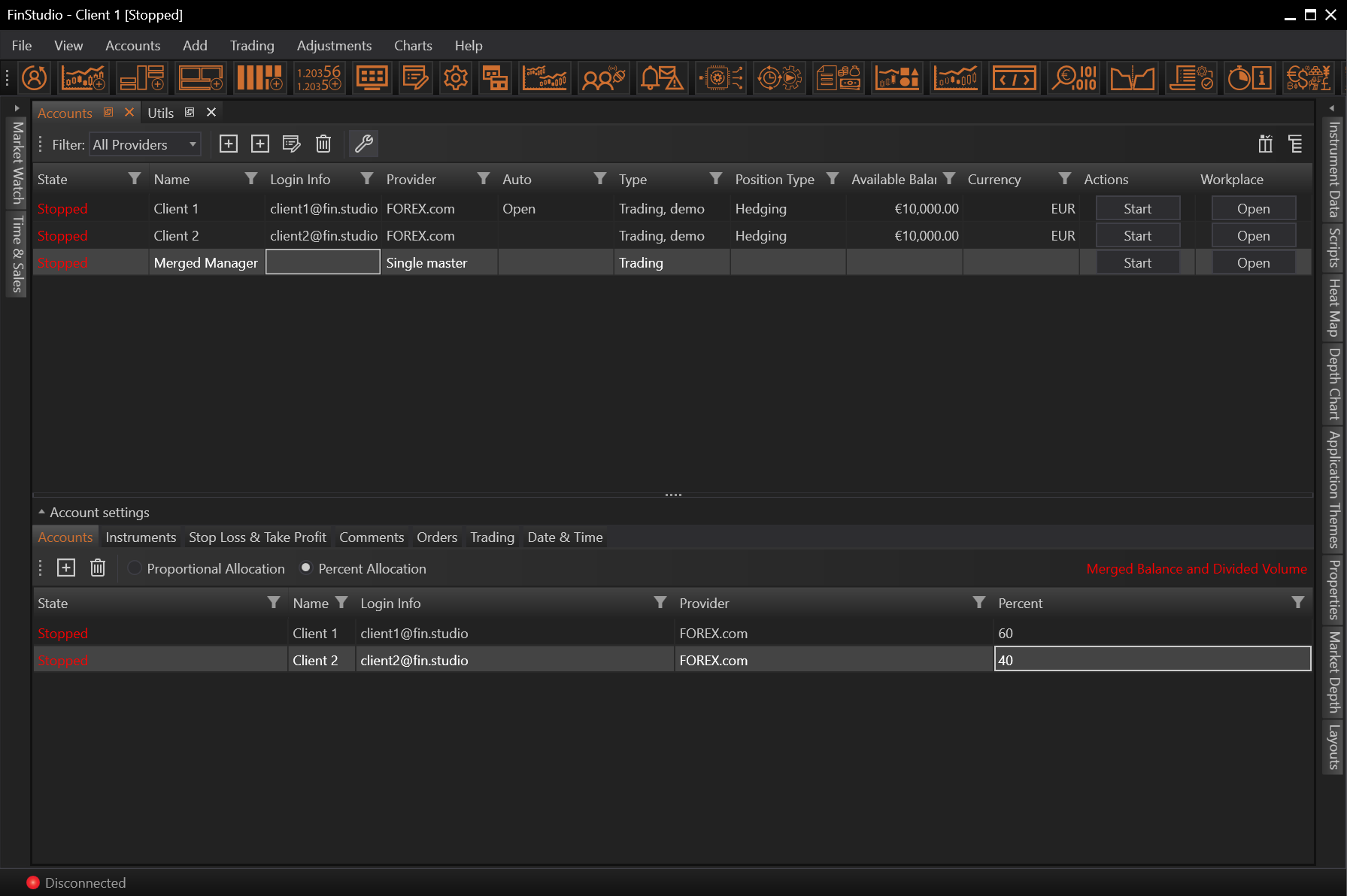
In Accounts we are able to add client accounts that we want to be added to the merged account.
Add Accounts
If we wants to create a virtual account, at first we need to add at least 2 client accounts.

Create Virtual Account
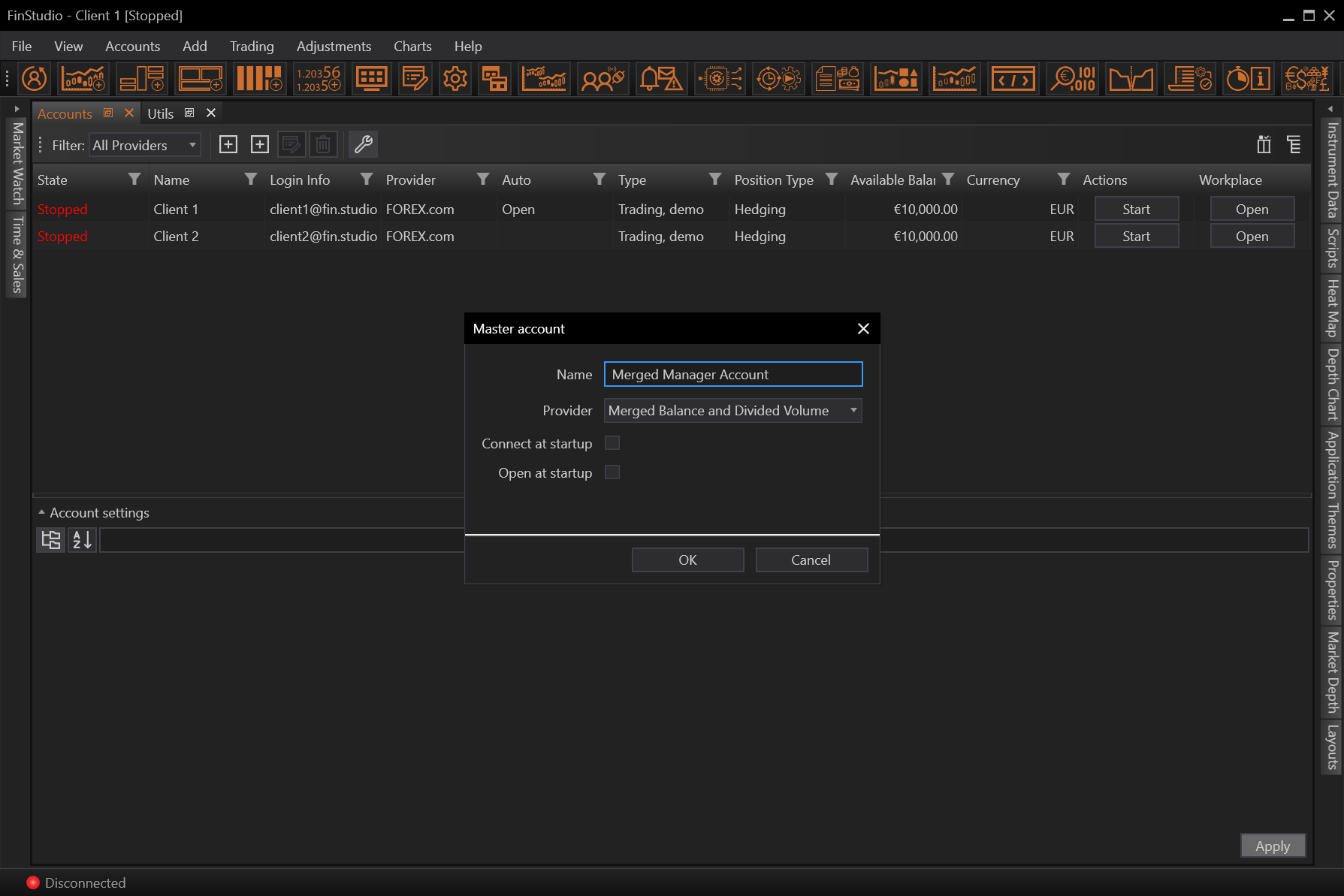
To create the virtual account using Merged Balance and Divided Volume method the user first needs to create master merged account.
User enters the Name of the account and chooses Merged Balance and Divided Volume method.

Once the merged account is created, client accounts need to be added.
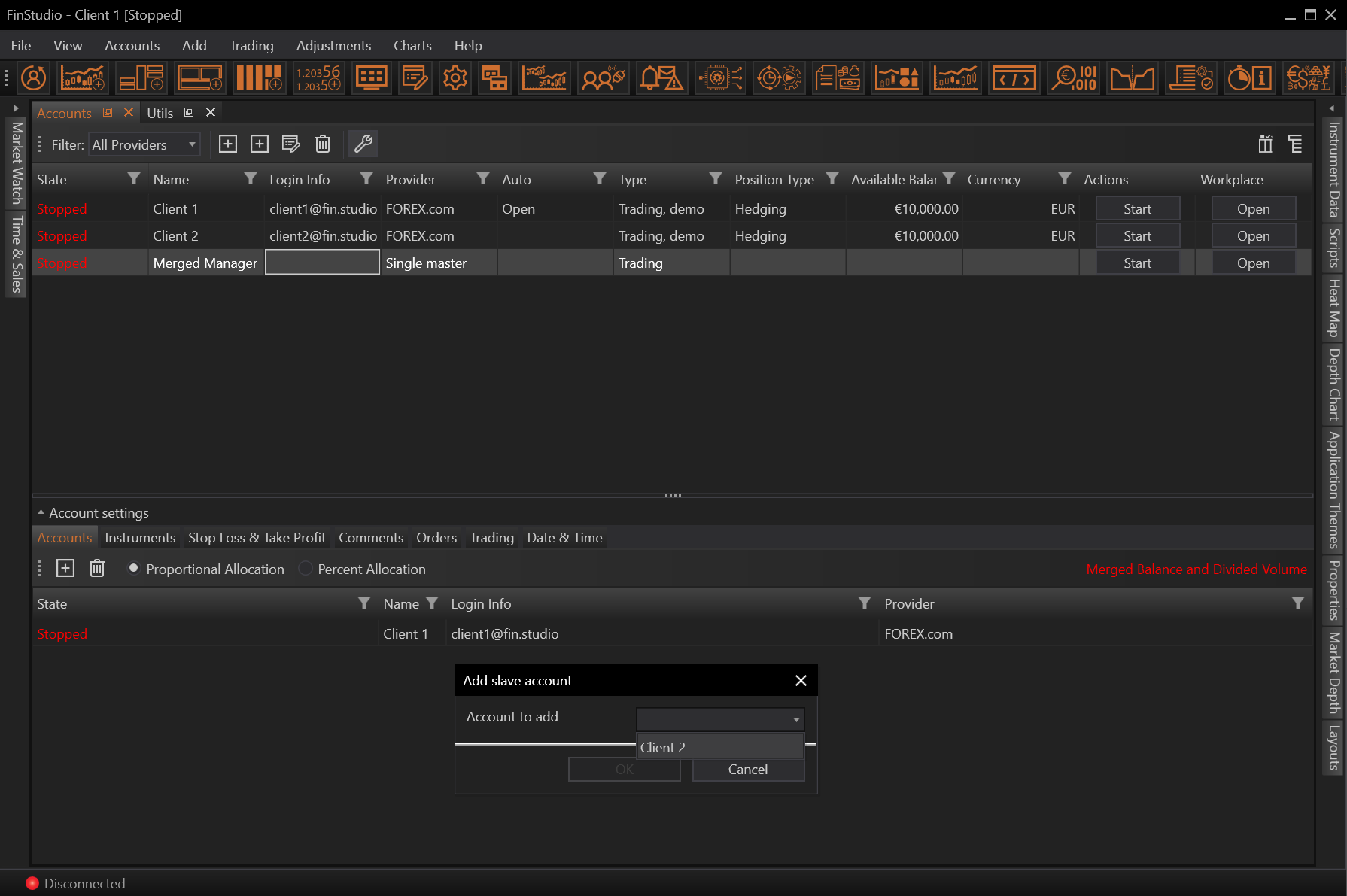
After all providers are added we need to select allocation.
For proportional allocation we don't need to enter any value. For percent allocation we need to set individual percentage allocations for the each client account.